
How to Enable Demographic Data in Google Analytics Universal

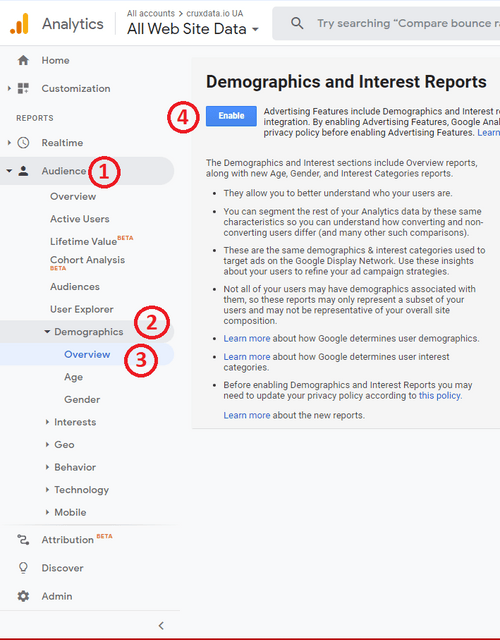
Steps 1-4.
After logging into your Google Analytics Universal account, click "Audience" in the left hand menu to activate the dropdown menu. From the drop down menu, select "Demographics". Directly underneath "Demographics", click "Overview". Click the blue "Enable" button